Qwen-Image-2512は、人物の質感や画像内の文字表現が改善されたQwen-Imageの更新モデルです。
ComfyUIでは公式テンプレートが用意されており、通常版に加えてGGUFや4ステップLoRAも利用できます。
今回はQwen-Image-2512をComfyUIで使う方法と、旧版・2512・4ステップLoRAの比較結果を紹介します。
- Qwen-Image-2512で必要なモデルと保存先
- ComfyUI公式ワークフローの読み込み方と設定
- 旧版・2512・4ステップLoRAの生成時間と画質差
Qwen-Image-2512とは?
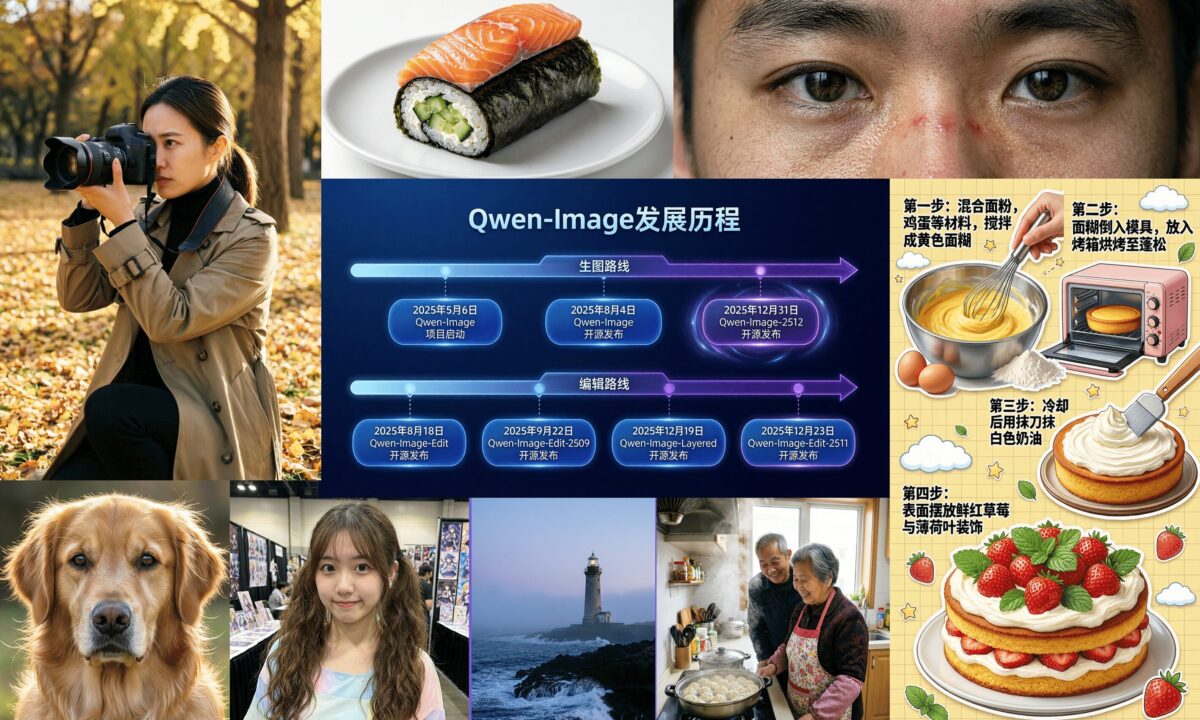
Qwen-Image-2512は、2025年12月31日に公開されたQwen-Imageの画像生成モデルです。
公式モデルカードでは、従来版から人物のリアリズム、自然物の細部、テキストレンダリングが改善されてます。
主な特徴
- AI特有の質感を抑えた人物表現
- 風景や動物の毛並みなど、自然物の細かな描写
- 画像内の文字とレイアウト精度の向上
- FP8・BF16・GGUFなど、環境に合わせてモデル形式を選択可能

ライセンス
Qwen-Image-2512のモデルカードに記載されているライセンスはApache License 2.0です。
ただし、生成物に含まれる人物・ロゴ・キャラクターなどの権利まで一律に保証するものではないため、公開や商用利用では内容を個別に確認してください。
必要なもの・動作環境
公式テンプレートを使うため、先にComfyUIを最新状態へ更新してください。
テンプレートや必要なコアノードが見つからない場合は、ComfyUIのバージョンが古い可能性があります。
ComfyUIをまだ導入していない場合はこちらを参考にしてください。

GGUF版を使う場合は、標準のLoad Diffusion ModelではなくComfyUI-GGUFのUnet Loader (GGUF)が必要になります。
ComfyUI Managerでインストールするかカスタムノードフォルダに手動でクローンしてください。
git clone https://github.com/city96/ComfyUI-GGUF.gitモデルのダウンロードと配置
通常版では、Diffusion Model、Text Encoder、VAEの3ファイルが必要です。
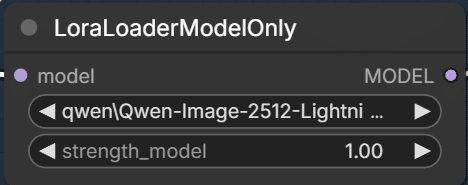
4ステップで生成したい場合は、Lightning LoRAも追加してください。
| 種類 | ファイル | 保存先 |
|---|---|---|
| Diffusion Model | qwen_image_2512_fp8_e4m3fn.safetensors | ComfyUI\models\diffusion_models |
| Text Encoder | qwen_2.5_vl_7b_fp8_scaled.safetensors | ComfyUI\models\text_encoders |
| VAE | qwen_image_vae.safetensors | ComfyUI\models\vae |
| 4ステップLoRA | Qwen-Image-2512-Lightning-4steps-V1.0-bf16.safetensors | ComfyUI\models\loras |
GGUF版はこちら。
公式ワークフローの読み込み
ComfyUIのメニューから「Workflow」→「Browse Templates」を開き、Qwen-ImageのText to Imageテンプレートを選択してください。
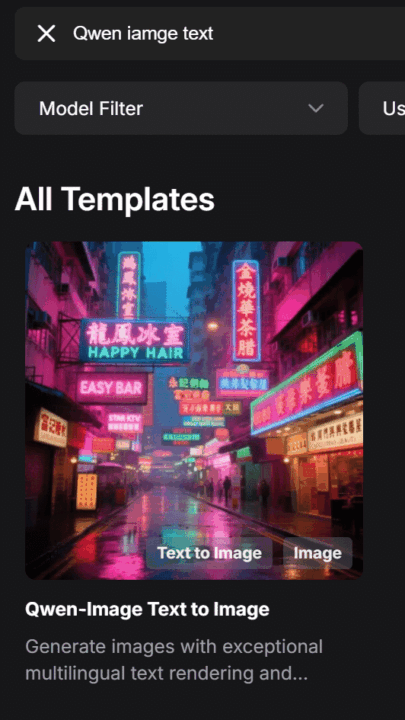
公式ワークフローには通常の50ステップ生成と、Lightning LoRAを使う4ステップ生成が含まれています。


ノードの設定と生成
モデルを選択する
Load Diffusion Model
qwen_image_2512_fp8_e4m3fn.safetensorsを選択します。
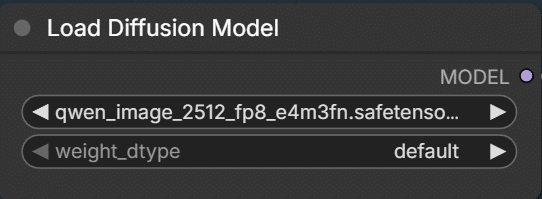
GGUFの場合はUnet Loader (GGUF)ノードに置き換えてください。

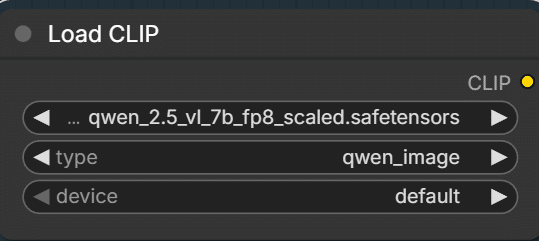
Load CLIP
qwen_2.5_vl_7b_fp8_scaled.safetensorsを選び、typeはqwen_imageにします。
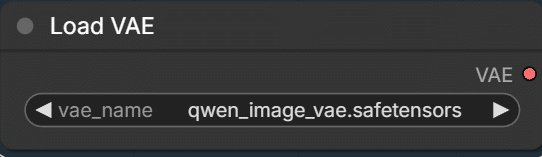
Load VAE
qwen_image_vae.safetensorsを指定します。
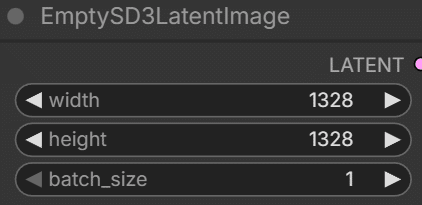
EmptySD3LatentImage
公式が案内している1:1の解像度は1328×1328です。
ほかにも1664×928(16:9)、928×1664(9:16)、1472×1104(4:3)などに対応しています。
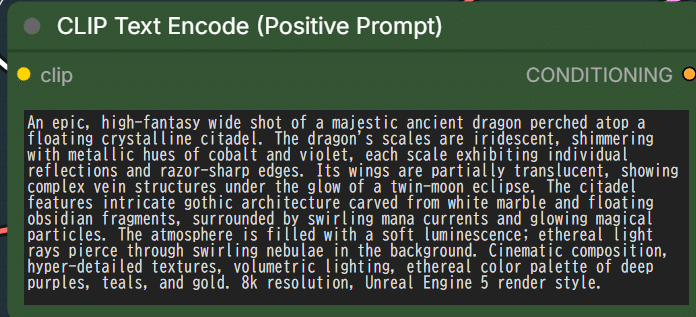
CLIP Text Encode (Positive Prompt)
生成したい内容を入力します。
LoraLoaderModelOnly
4ステップLoRAを使う場合はLoraLoaderModelOnlyのバイパスを解除し、ダウンロードしたLoRAを選びます。
KSampler
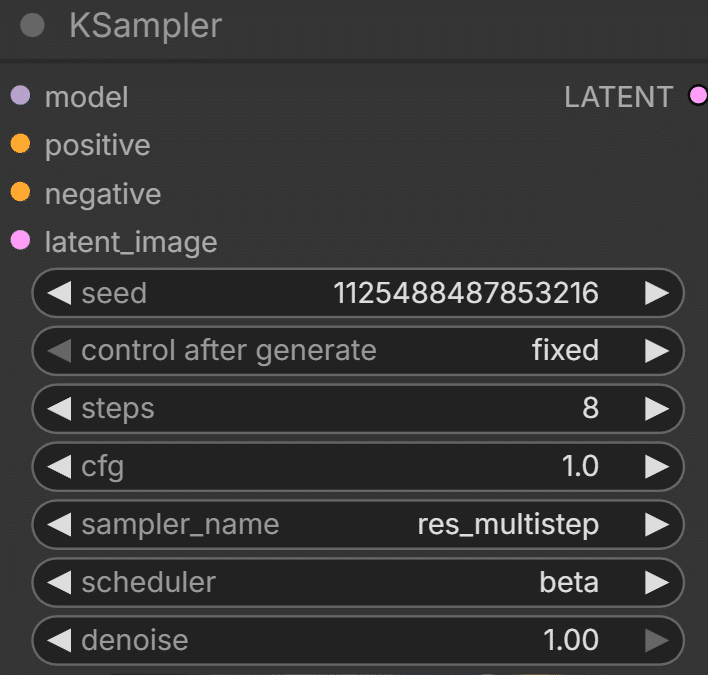
私の環境では、Euler・CFG 1の組み合わせで格子状のアーティファクトが出ることがありました。
そのため比較時はstepsを8、CFGを1、sampler_nameをres_multistep、schedulerをbetaに変更しています。
従来のモデル・2512・4ステップLoRAを比較
生成時間は従来のモデルと2512は8ステップで約40秒前後、4ステップLoRAは約30秒でした。
(VRAM16GB)
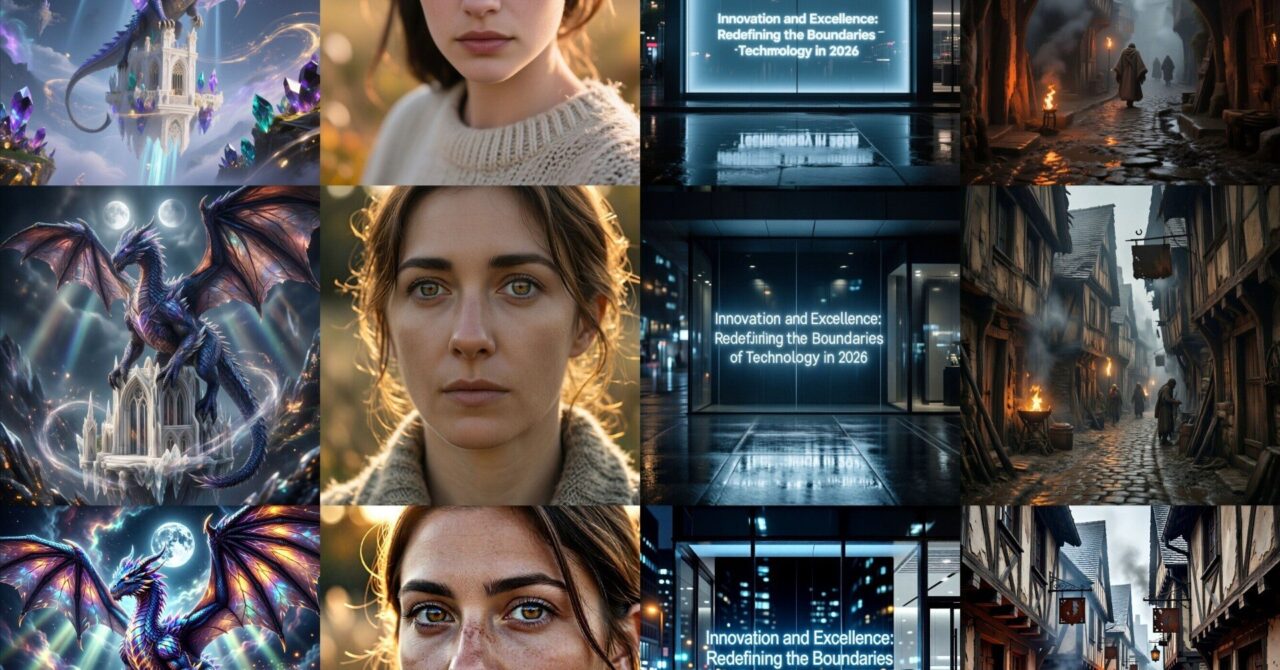
同じプロンプトで、上から従来のQwen-Image、Qwen-Image-2512、Qwen-Image-2512+4ステップLoRAで比較してます。
4ステップLoRAは劣化しているようにも感じました。
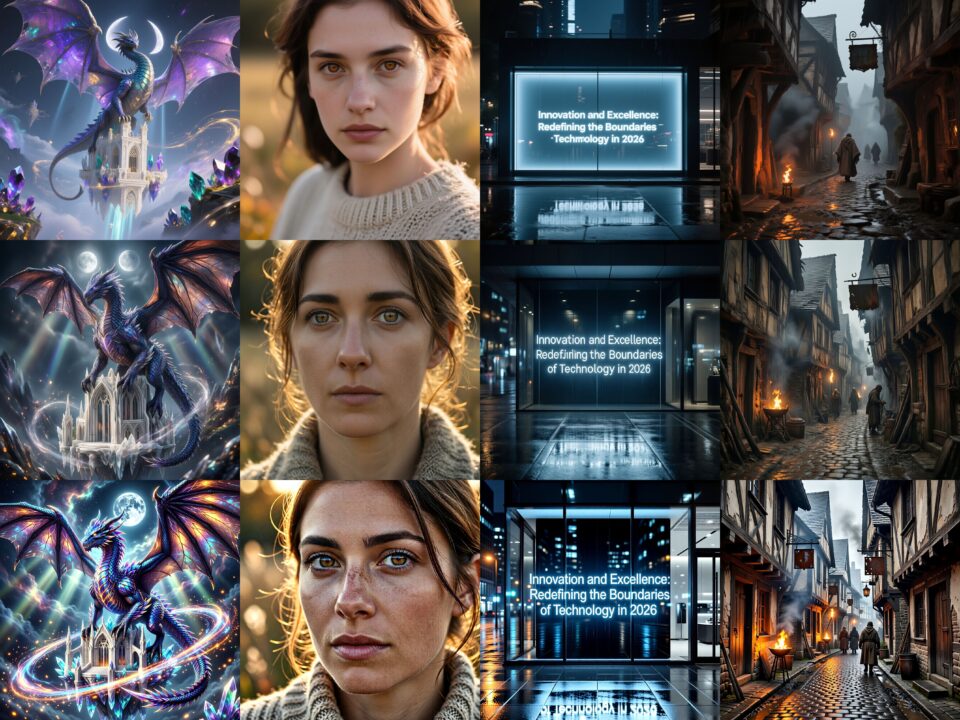
プロンプトはAIで作成したものを使っています。
1. ファンタジーもの
An epic, high-fantasy wide shot of a majestic ancient dragon perched atop a floating crystalline citadel. The dragon’s scales are iridescent, shimmering with metallic hues of cobalt and violet, each scale exhibiting individual reflections and razor-sharp edges. Its wings are partially translucent, showing complex vein structures under the glow of a twin-moon eclipse. The citadel features intricate gothic architecture carved from white marble and floating obsidian fragments, surrounded by swirling mana currents and glowing magical particles. The atmosphere is filled with a soft luminescence; ethereal light rays pierce through swirling nebulae in the background. Cinematic composition, hyper-detailed textures, volumetric lighting, ethereal color palette of deep purples, teals, and gold. 8k resolution, Unreal Engine 5 render style.
2. リアルな女性
A hyper-realistic candid portrait of a woman in her late 20s, captured in the soft, directional light of the golden hour. The focus is razor-sharp on her eyes, revealing intricate amber patterns in the iris and individual wet reflections. Her skin is a study of natural realism: visible pores, faint freckles across the bridge of the nose, fine peach fuzz along the jawline, and subtle natural oils. A few stray strands of chestnut hair are backlit by the sun, creating a glowing halo effect. She wears a coarse-knit linen sweater, with every fiber and stray thread rendered in tactile detail. The background is a soft-focus autumn meadow with creamy bokeh. Naturalistic color grading, warm earthy tones, shallow depth of field, 85mm lens aesthetic, extreme macro detail.
3. テキストを再現するプロンプト
A sleek, modern minimalist storefront at night, featuring a prominent high-contrast LED glass display. Centered perfectly on the glass is the text “Innovation and Excellence: Redefining the Boundaries of Technology in 2026” written in a clean, sophisticated sans-serif typography. The letters are crisp, glowing with a steady cool white light, reflecting clearly onto the polished dark pavement below. The surrounding environment is a high-tech urban setting with blurred city lights and rain-slicked surfaces. The focus is locked on the clarity of the characters, ensuring sharp edges and consistent spacing. Cinematic night photography, cold blue and charcoal tones, sharp focus on text, 8k resolution, hyper-realistic glass reflections.
4. 中世ヨーロッパ的なもの
A gritty, atmospheric scene of a narrow cobblestone street in a 14th-century European town during a light drizzle. The timber-framed houses lean inward, their weathered wood grain and crumbling plaster showing centuries of decay. Wet stones reflect the flickering orange glow of iron braziers and distant torches. Details include thick mud in the gutters, rusted iron signage hanging from wooden beams, and the rough texture of wool tunics on distant figures. The air is heavy with mist and woodsmoke, creating a deep sense of layered atmosphere. The palette is dominated by muted browns, slate grays, and warm flickers of firelight. Historical realism, cinematic chiaroscuro lighting, high-contrast shadows, ultra-fine architectural textures.
まとめ
従来のモデルより画像そのもののクオリティはかなり上がってるように感じました。
生成内容にもよりますが、AI特有の安っぽさが消えてる印象です。
あとZIT程ではないものの、LoRA使わなくても40秒前後なので生成しやすいと思います。
以上Qwen-Image-2512の使い方を紹介しました。
参考になれば幸いです。