ComfyUIの公式ワークフローに、FastH3 OmniRefを使った参照動画生成が追加されました。
FastH3 OmniRefは、参照画像とプロンプトから、映像に合った音声付きの動画を8ステップで作れるモデルです。
この記事では、モデルの配置とワークフローの操作、実際の生成までを紹介します。
FastH3 OmniRefとは?
FastH3 OmniRefは、FastVideoがMiniMax H3をベースに作った参照動画生成モデルです。
プロンプトと、順番を付けた画像・動画・音声の参照から、映像と、それに合わせた音声を生成します。
参照画像のキャラクター・商品・場所を、複数のショットで使い回せる仕組みです。
モデルの開発には、FastVideoとNuva Labが共同で取り組んでいます。
主な特徴
- MiniMax H3がベースの参照動画生成(reference-to-video)モデル
- 蒸留モデルで、8サンプリングステップで映像と音声を生成できる
- 画像・動画・音声を参照として入力できる
- テキストだけからの動画生成もできるが、得意なのは参照からの動画生成
ライセンス
FastH3 OmniRefのライセンスは、MiniMax-H3 Community License Agreementです。
商用利用などの条件は、以下のライセンス本文で確認してください。

ComfyUIのインストール
ComfyUIをまだインストールしていない方は、こちらを参考にしてみてください。

AIに聞くと更新しなくても生成はできますが、高速化処理が最適化されない可能性があるとのことなので、nightly版にしてからやった方が良さそうです。
# Stability Matrix
git fetch origin master --tags
git switch --detach origin/master
.\venv\Scripts\python.exe -m pip install -r requirements.txt
・戻す場合
git fetch --tags
git switch --detach (Invoke-RestMethod https://api.github.com/repos/Comfy-Org/ComfyUI/releases/latest).tag_name
.\venv\Scripts\python.exe -m pip install -r requirements.txtポータブル版はupdate_comfyui.batを実行、戻す場合はupdate_comfyui_stable.batです。
詳細は公式のドキュメントでご確認ください。
必要なモデルのダウンロードと配置
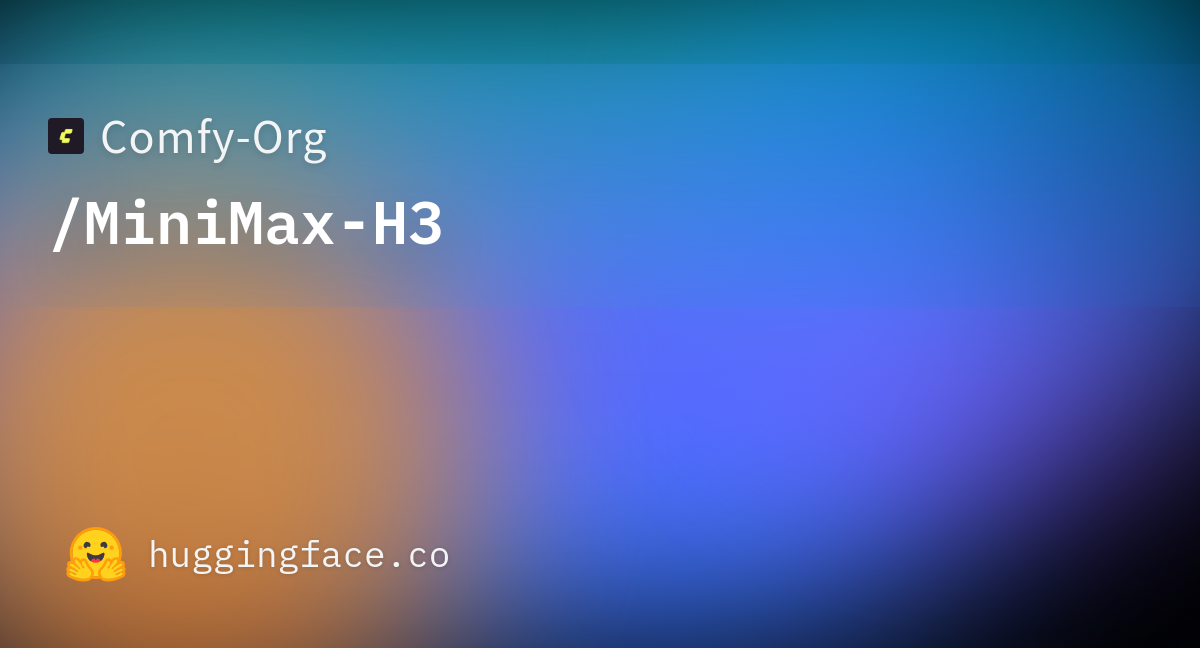
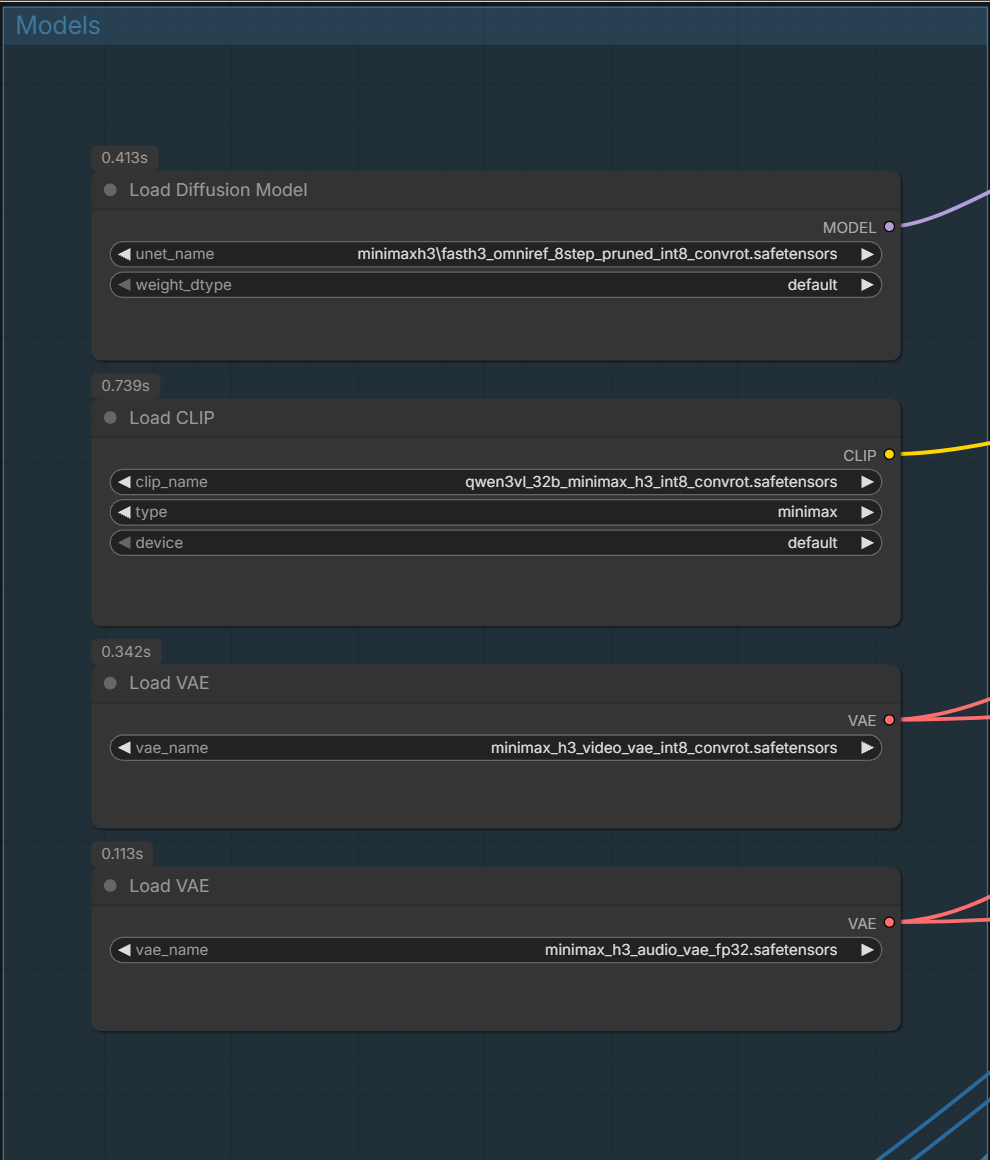
ワークフローでは、以下の4つのファイルを使います。
テキストエンコーダーは普段int8版を使ってるので、記事はこっちで検証しました。
| 種類 | ファイル名 | 配置先 |
|---|---|---|
| 拡散モデル | fasth3_omniref_8step_pruned_int8_convrot.safetensors | ComfyUI/models/diffusion_models |
| テキストエンコーダー | qwen3vl_32b_minimax_h3_nvfp4_awq.safetensors | ComfyUI/models/text_encoders |
| 動画VAE | minimax_h3_video_vae_int8_convrot.safetensors | ComfyUI/models/vae |
| 音声VAE | minimax_h3_audio_vae_fp32.safetensors | ComfyUI/models/vae |
ComfyUI/
└── models/
    ├── diffusion_models/
    │   └── fasth3_omniref_8step_pruned_int8_convrot.safetensors
    ├── text_encoders/
    │   └── qwen3vl_32b_minimax_h3_nvfp4_awq.safetensors
    └── vae/
        ├── minimax_h3_video_vae_int8_convrot.safetensors
        └── minimax_h3_audio_vae_fp32.safetensors
ワークフローの読み込み
参照画像とプロンプトから音声付き動画を作るワークフローは、video_fasth3_ominiref_r2v.jsonです。
リンク先のページから、JSONファイルをダウンロードしてください。
ダウンロードしたJSONをComfyUIの画面へドラッグ&ドロップすると、ワークフローを読み込めます。
FastH3 OmniRefで参照画像から音声付き動画を生成
まずModelsグループでモデルをセットします。
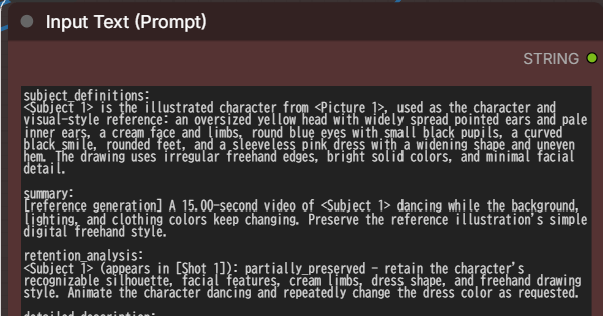
User Inputsで参照素材、アスペクト比や長さ、Promptを入力します。
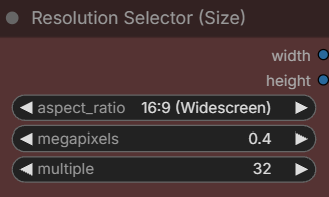
・Resolution Selector (Size):解像度とアスペクト比
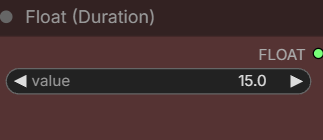
・Float (Duration):動画の長さ
・Input Text (Prompt)
・Load Image
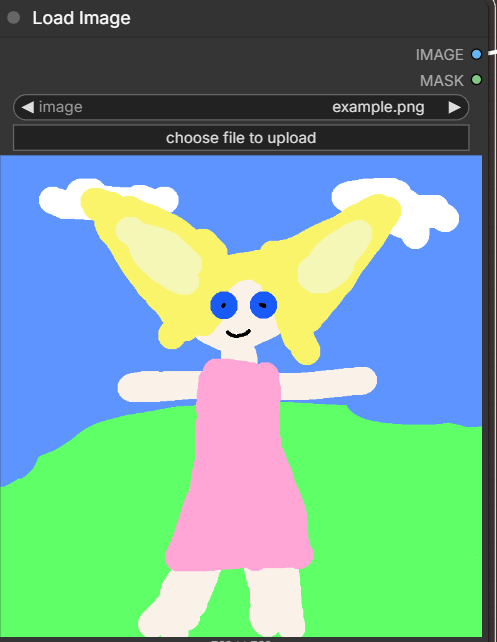
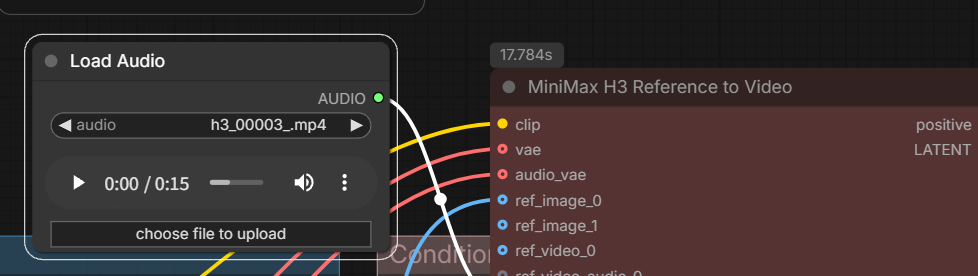
素材については最大画像9枚、音声・動画3つとされています。
Load AudioやLoad Videoを追加してMiniMax H3 Reference to Videoについないでください。
結果:
15秒の動画をRTX4060Ti(VRAM16GB/RAM64GB)、0.4MPで実行して約5分36秒かかりました。
subject_definitions:
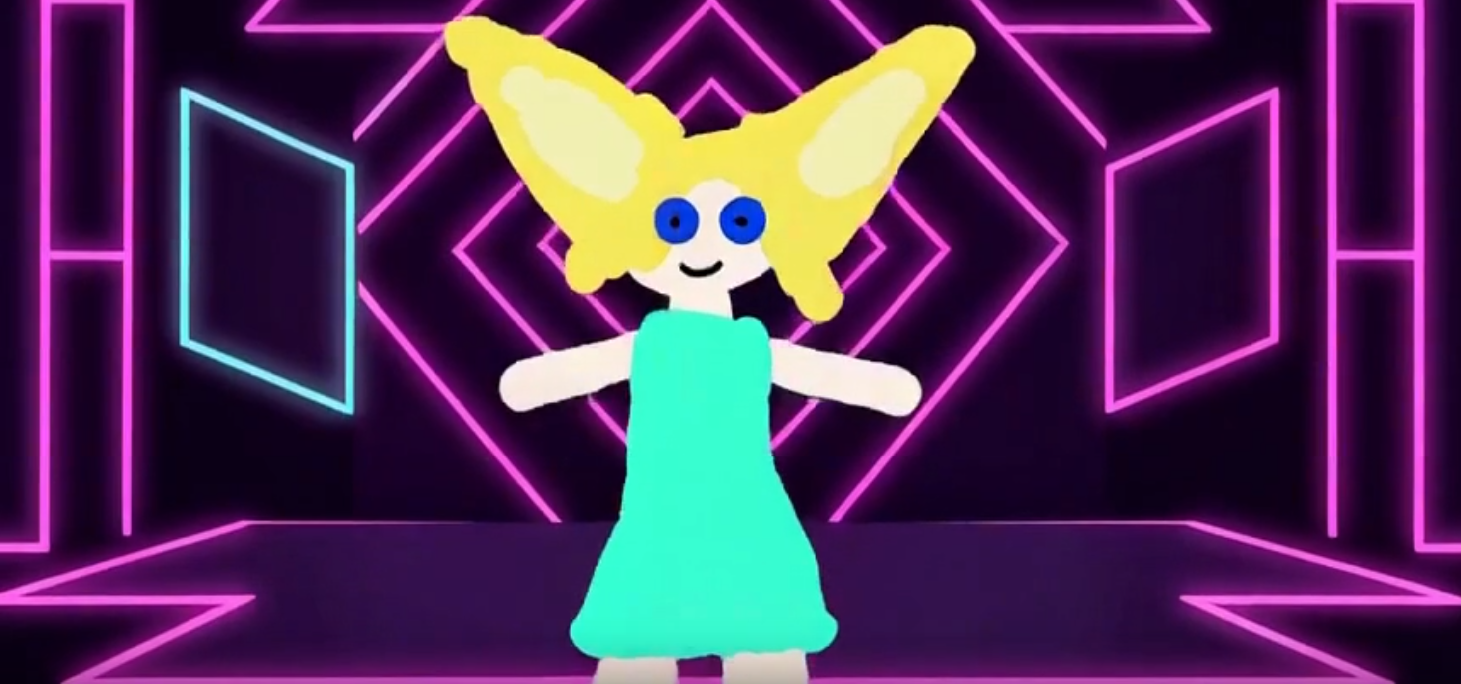
<Subject 1> is the smiling, large-eared humanoid character from <Picture 1>, defined by its saved visual analysis: oversized pointed yellow ears with pale inner ears, a cream face and limbs, round blue eyes with small black pupils, a curved black smile, rounded feet, and a sleeveless pink dress with a flared, uneven hem. Preserve its simple digital freehand appearance, irregular edges, bright flat colors, and minimal facial details. The dress retains its shape while its color changes during the dance.
summary:
[reference generation] Create an exactly 15.00-second, four-shot animated dance video featuring <Subject 1>. Its steps, sideways turns, and increasingly energetic jumps transform a simple meadow into a pastel dance floor and a neon stage before returning to a colorful meadow. Preserve the reference character’s identity and handmade drawing style while changing backgrounds, lighting colors, and dress colors. Newly created upbeat instrumental dance music accompanies the entire sequence.
retention_analysis:
<Subject 1> (appears in [Shot 1], [Shot 2], [Shot 3], [Shot 4]): partially_preserved – retain the yellow ears, pale inner ears, cream face and limbs, blue eyes, black smile, rounded feet, dress silhouette, and irregular flat-color drawing style. The initially pink dress deliberately changes color and returns to pink at the end. New dance movements and environments extend the referenced character without replacing its identity.
detailed_description:
Use cheerful hand-drawn 2D animation with irregular contours, solid color fills, and minimal shading. Colored lighting appears as graphic background washes and thin edge accents, keeping the character’s yellow ears and cream face recognizable.
[Shot 1] A centered full-body view introduces <Subject 1> beneath a flat blue sky with two white clouds, standing on uneven bright green ground. Its oversized yellow ears spread widely above its cream face, blue eyes, and curved black smile; its sleeveless dress is pink. Leave generous space around the ear tips and rounded feet. Over four seconds, it performs alternating side steps, bends its knees, and swings its arms outward. Its ears bounce gently and its uneven dress hem follows each movement. The camera slowly pushes closer while retaining the entire figure. A colored ring expands from each planted foot, and the dress shifts to coral near the end. A crisp instrumental dance beat begins immediately, with soft synchronized foot taps.
[Shot 2] At 00:04.000, a beat-matched cut replaces the meadow with a pastel checkerboard floor beneath peach and lavender graphic arches. <Subject 1> remains at matching screen scale and continues the stepping rhythm. It pivots into a clear side profile, briefly holds that orientation, then turns back toward the camera and travels sideways with two buoyant steps. Maintain coherent limbs and recognizable ear shapes throughout the rotation. The camera tracks gently sideways with the dancer. The same dress changes from coral to lavender during the pivot, then mint during the traveling steps. Broad background color washes alternate warmly on the beat. A short airy swish accents the turn; music continues uninterrupted.
[Shot 3] At 00:08.000, cut on a planted step to a dark violet illustrated stage with neon geometric outlines. <Subject 1> stays fully visible against alternating cyan and magenta background washes. From a slightly lower viewpoint, the camera follows upward subtly as it makes two small hops, compresses its knees, and launches into one higher jump. Its arms rise, ears lag and rebound, and the flared dress lifts naturally. The dress shifts from mint to cyan, then vivid pink. The jump descends toward the next cut. Hi-hats and bright synth accents increase the energy, accompanied by soft hop landings and a brief rising whoosh.
[Shot 4] At 00:12.000, match the descending movement to a soft landing in a transformed meadow with rainbow ground bands and white clouds. <Subject 1> absorbs the landing, performs a quick sideways quarter-turn and return, then opens both arms toward the audience. Its dress changes through sunny yellow and settles into the original pink. The camera eases backward to reveal the colorful setting. At 00:14.500, hold the smiling final pose and camera still. A resolving musical accent and short sparkle decay finish precisely at 00:15.000.
overall_soundscape:
Sparse, gentle foot taps and cushioned landing sounds follow visible ground contact. Brief airy swishes accent turns and the large jump; delicate sparkle sounds accompany environmental changes. Keep these effects below the music. No dialogue, singing, crowd noise, or prominent ambient wash.
non_diegetic_music:
Newly created, audience-only instrumental dance music at 120 BPM in 4/4, with a light four-on-the-floor kick, crisp claps, buoyant bass, and playful plucked synthesizer phrases. Maintain continuous tempo across all cuts. Add hi-hats and a rising synth layer during Shot 3, resolve into a bright final chord at 00:14.500, and let its short tail end exactly at 00:15.000. No vocals or lyrics.
通常のref2vモデル+LoRA+kitchen attention込みで生成すると5分51秒でこんな感じでした。
まとめ
映像はそこまで変化がないように感じますが、処理時間と音楽は良くなってます。
特に音楽はサーっというノイズがちゃんと消えてて映像として見やすいです。
通常のモデルや派生モデルだとこの音声がネックだったので、そこが改善できているのはかなりありがたいなと感じました。
音声素材とかは今回試してませんが、そっちも問題なく使えるなら、FastH3 OmniRefの方が扱いやすい気がします。
以上FastH3 OmniRefについて紹介しました。
参考になれば幸いです。