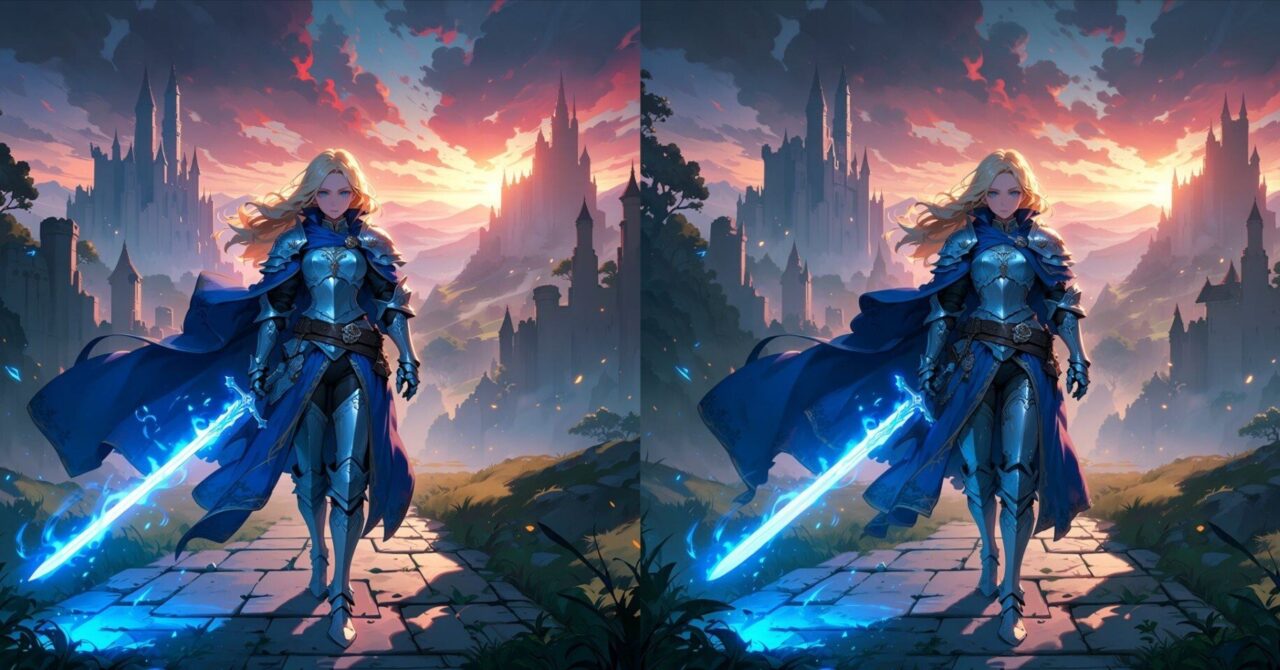
LTX-2.5がComfyUIで公式にサポートされたので、テンプレートのworkflowをそのまま動かしてみました。
テキストからの生成に加えて、画像1枚から動かすi2v、最初と最後のコマをつなぐflf2vの3種類が用意されています。
この記事ではアクセス申請からモデルの配置、3つのworkflowの中身までをまとめました。
LTX-2.5とは?
LTX-2.5はLightricksが公開している動画生成モデルで、映像と音声を同時に生成できます。
1回の生成でカットをまたいだ複数ショットを作れるようになったのが2.5の目玉とのこと。
ComfyUI向けにはint8+convrotで量子化されたファイルが配布されていて、こちらはComfyUI専用と書かれています。
公式のモデルカードに挙げられている主な特徴は以下の通り。
- Pixel Diffusion:高精細なキーフレームを先に作ってから映像を組み立てる方式
- Diffusion Video Decoder:顔や文字のにじみ、速い動きでの崩れを抑えるデコーダー
- ネイティブマルチショット:1回の生成でカットをまたいでキャラや照明、声を保つ
- Gemma 4 12Bベースのテキストエンコーダー:長いプロンプトの要素を取りこぼしにくい
- Prompt Enhancer:短いプロンプトを映像向けの指示に膨らませる軽量モデル
- Auto Duration:書かれた動作の内容からクリップの長さを推定
- ネイティブ4Kと音声同期は2.3から引き継ぎ
モデルカードとファイル一式はHugging Faceで公開されています。

LTX-2.5のライセンス
LTX-2.5は従来と同じくLTX-2.xのコミュニティライセンスで配布されています。
年間売上が1000万ドル未満であれば、商用や制作物への利用も無償。
これを超える規模の場合は、別途有償の商用利用契約が必要になります。
ファインチューンしたモデルの配布には別の条件が付く場合があると記載。
詳細はモデルカードのライセンス欄で確認できます。
LTX-2/LICENSE.md at main · Lightricks/LTX-2
動作環境
私の動作環境は以下の通りです。
| 項目 | 内容 |
|---|---|
| GPU | GeForce RTX 4060 Ti(VRAM 16GB) |
| メインメモリ | 64GB |
| ComfyUI | Stability Matrix経由で導入 |
公式のモデルカードに必要VRAMの明記は見当たらず、VRAMが少ない場合は量子化とCPUオフロードを使う案内が出ている程度でした。
ダウンロードするモデルは合計で約46GBあるので、ディスクの空きも先に見ておく必要があります。
ComfyUIのインストール
ComfyUIのインストールがまだの方はこちらを参考にしてみてください。

LTX-2.5はComfyUI 0.32.0から対応しています。
アップデートがまだの方はアップデートも必要です。
モデルのダウンロード
Hugging Faceでアクセス申請する
LTX-2.5のリポジトリはgated(アクセス制限付き)です。
ログインした状態でモデルページを開き、ライセンスに同意して申請を出せばアクセスできるようになります。

ダウンロードするファイルと置き場所
公式workflowで使うファイルは6つあり、置き場所は以下の通り。
| ファイル | 置き場所 | サイズの目安 |
|---|---|---|
| ltx-2.5-22b-distilled-transformer-comfy-int8-convrot.safetensors | models\diffusion_models | 約20GB |
| gemma4-12b-with-proj-ltx-2.5-comfy-int8-convrot.safetensors | models\text_encoders | 約14GB |
| gemma4_e2b_it_bf16.safetensors | models\text_encoders | 約9.5GB |
| ltx-2.5-video-vae-bf16.safetensors | models\vae | 約1.4GB |
| ltx-2.5-audio-vae-bf16.safetensors | models\vae | 約0.3GB |
| ltx-2.5-latent-spatial-upscaler-x2-bf16-1.0.safetensors | models\latent_upscale_models | 約0.9GB |
Stability Matrixの場合はData\Models側に置いても認識されないため、ComfyUIパッケージ内のmodelsフォルダへ直接入れてください。
ComfyUI\models\latent_upscale_modelsworkflowの読み込み
ComfyUIのメニューからテンプレートを開き、Videoのカテゴリ内でLTX-2.5を選びます。
用意されているのはt2v、i2v、flf2vの3つ。
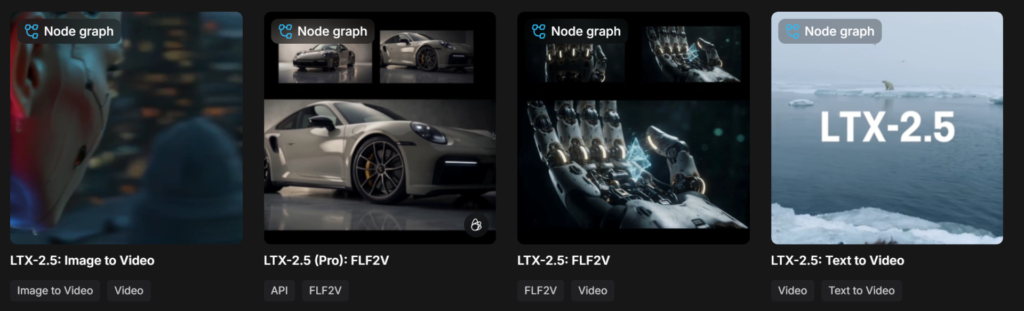
同じworkflowの解説はComfyUI公式のチュートリアルにも用意されています。

LTX-2.5の使い方
3つのworkflowはどれも中身がサブグラフ1個にまとまっています。
表に出ているのはプロンプトとサイズ、長さ、モデル指定くらいでパラメータもほぼ共通です。
| 項目 | 内容 |
|---|---|
| prompt | シーン、動き、照明、カメラ、音などを書くプロンプト |
| prompt_enhance | Prompt Enhancerのオンオフ |
| duration | クリップの長さ(秒) |
| width / height | 出力サイズ(初期値は1280×720) |
| seed | シード値 |
| frame_rate | フレームレート(初期値は24) |
| unet_name | 本体のdistilled transformer |
| video_vae / audio_vae | 映像用と音声用のVAE |
| clip_name | Gemma 4 12Bのテキストエンコーダー |
| upscale_model | デコード前に使うlatent upscaler |
| prompt_enhance_model | Prompt Enhancerが使うモデル |
Text to Video(t2v)
テキストから動画を作るworkflowです。
Text to Video (LTX-2.5)というサブグラフにまとまっています。
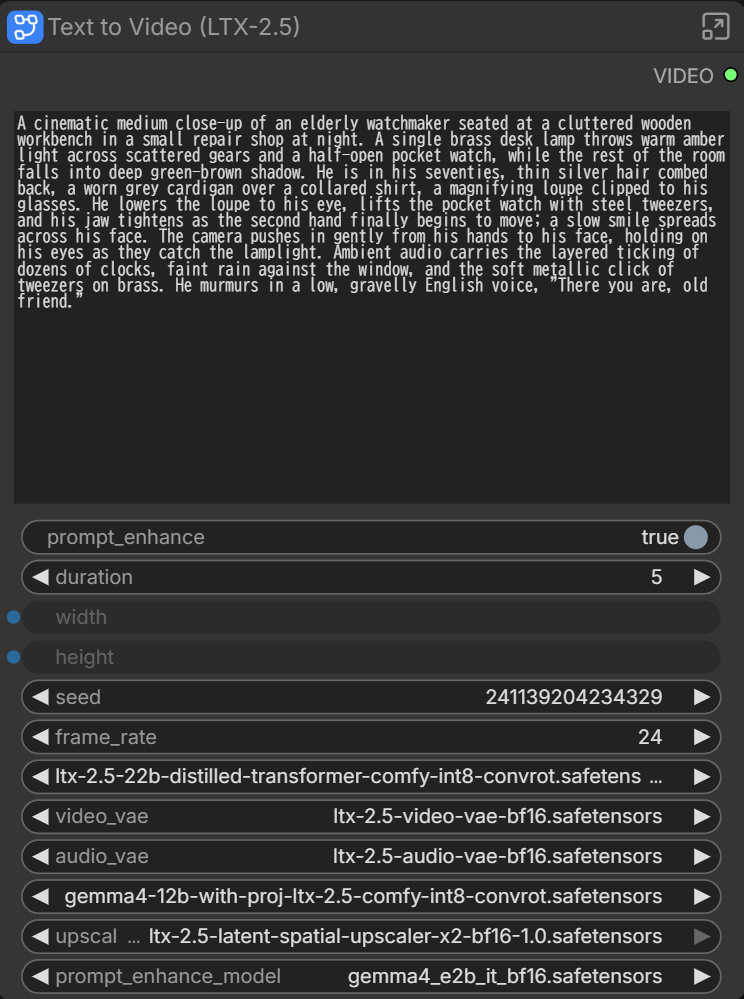
基本はプロンプト書いて、モデルセットするくらいです。
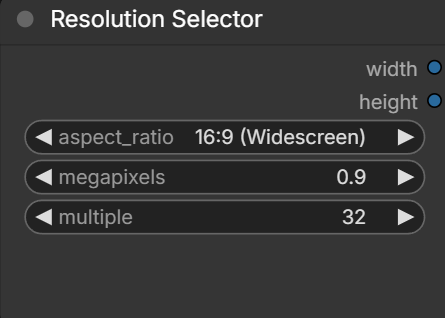
あと長さを変えたい場合はduration、prompt_enhanceのオン・オフ、解像度はResolution Selectorで指定可能です。
デフォルトでは1280×720になっています。
Text to Video(t2v)の実行結果
1280×720(5秒)の動画で約2分19秒(139.54 seconds)でした。
prompt_enhanceもオンの状態で実行したのでかなり生成速度は速いと思います。
Image to Video(i2v)
Load First Frameに画像を入れるくらいで他はt2vと一緒です。
サブグラフの中にはText to Videoへ切り替えるスイッチもあり、画像なしの生成もそのまま試せます。
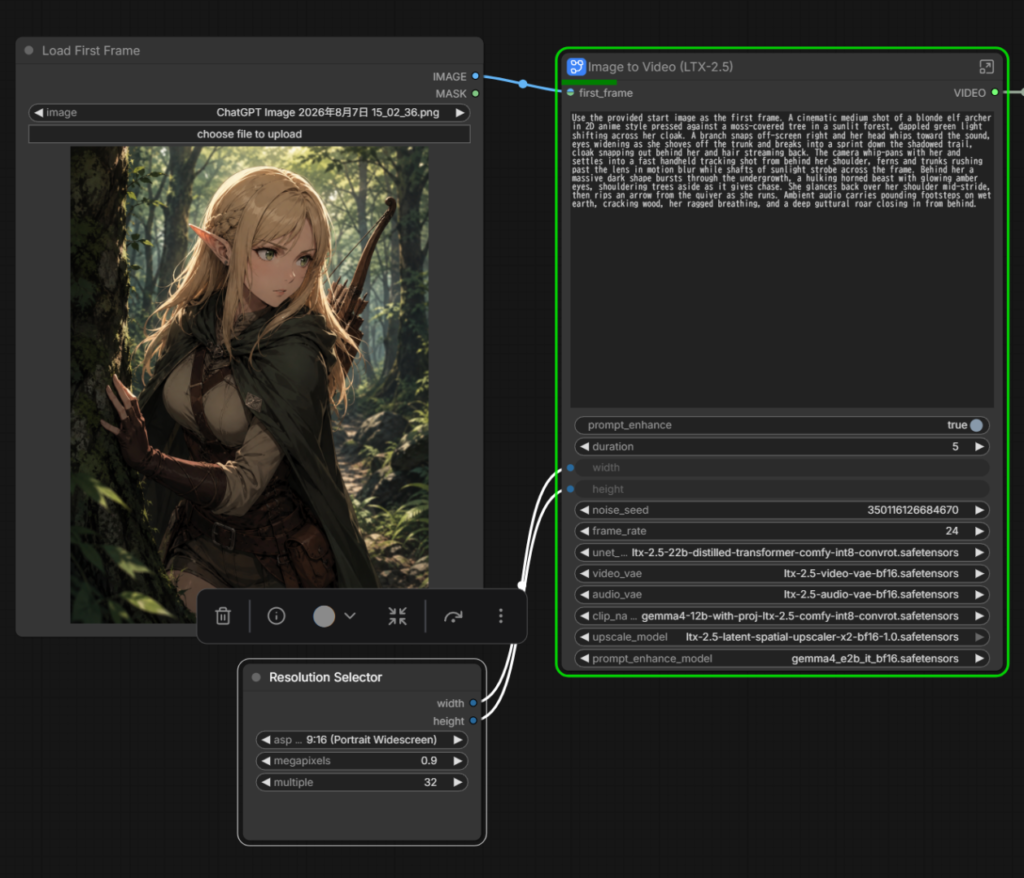
Image to Video(i2v)の実行結果
生成時間は約3分7秒(187.73 seconds)でした。
prompt_enhanceオンでやったのですが、あまり元のプロンプトの内容は反映できていません。
prompt_enhanceオフでやると生成時間は約2分(120.12 seconds)。
若干内容はズレてますが、prompt_enhanceオンのときよりはちゃんと動きが再現できました。
First & Last Frame to Video(flf2v)
flf2vは最初と最後のフレームを指定して動画生成できるものです。
Load First FrameとLoad Last Frameで2枚指定できます。
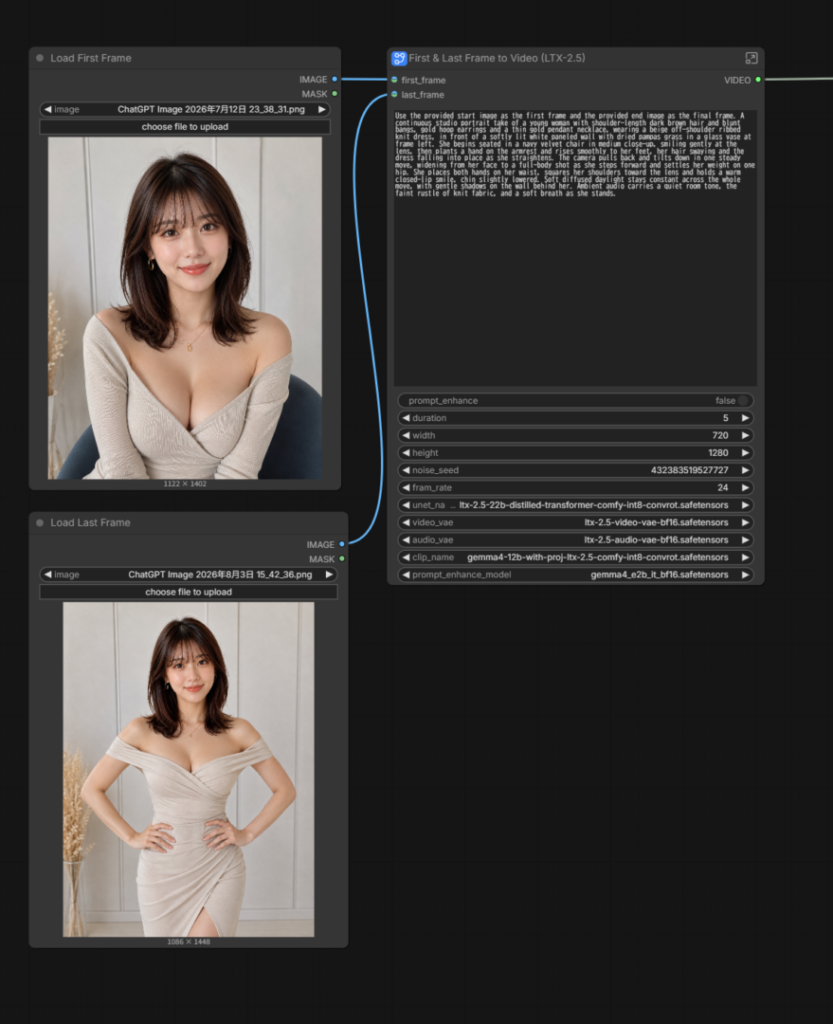
First & Last Frame to Video(flf2v)の実行結果
生成時間はprompt_enhanceありで約3分17秒(197.57 seconds)でした。
ただ途中トランジションみたいな切り替えが入ってしまい、MiniMaxH3のflf2vと比較すると一貫性などは劣る印象です。
Prompt Enhancerとプロンプトの書き方
prompt_enhanceをオンにすると、短いプロンプトをGemma 4ベースの軽量モデルが映像向けに書き直してくれます。
そのために必要なのがgemma4_e2b_it_bf16.safetensorsで、これだけで約9.5GB使います。
自分で細かく書く場合はオフにすれば、生成速度も向上し、入力した文章がそのまま使われます。
書き方の指針は、LTX-2.5向けに公開されている公式のプロンプトガイドがあるので、こちらを参考にしてください。

うまく動かないとき
おそらく詰まりやすいのはこのあたりです。
- テンプレートにLTX-2.5が出てこない、ノードが赤い:ComfyUI本体が古い
- ダウンロードで権限エラーになる:Hugging Faceのアクセス申請がまだ承認されていない
- モデルが選択肢に出てこない:フォルダ名か置き場所が違う(latent_upscale_modelsは特に注意)
- 途中でVRAMが足りなくなる:解像度とdurationを下げる、prompt_enhanceをオフにする
特にgatedの承認とlatent_upscale_modelsの置き場所は環境によって迷いやすいので、確認してみてください。
まとめ
MiniMaxH3と比較するとこんな印象でした。
LTX-2.5:低スペックでも高解像度が生成しやすい、生成速度が速い、画質も綺麗
MiniMaxH3:LTX-2.5より処理速度は劣るが、プロンプトの再現性、人物の一貫性などは高い
生成速度や解像度とか考えるとLTX-2.5の方が生成しやすいと思いますが、自分の脳内の動画をちゃんと再現するのであれば、MiniMaxH3の方が強いかなと感じました。
あくまでデフォルトのモデルを使用して感じたことなので、今後いろいろ便利なLoRAや高速化が出たら評価は変わるかもしれません。
以上、ComfyUIでLTX-2.5を動かす方法を紹介しました。
参考になれば幸いです。